
The Receipt Problem in Property Management
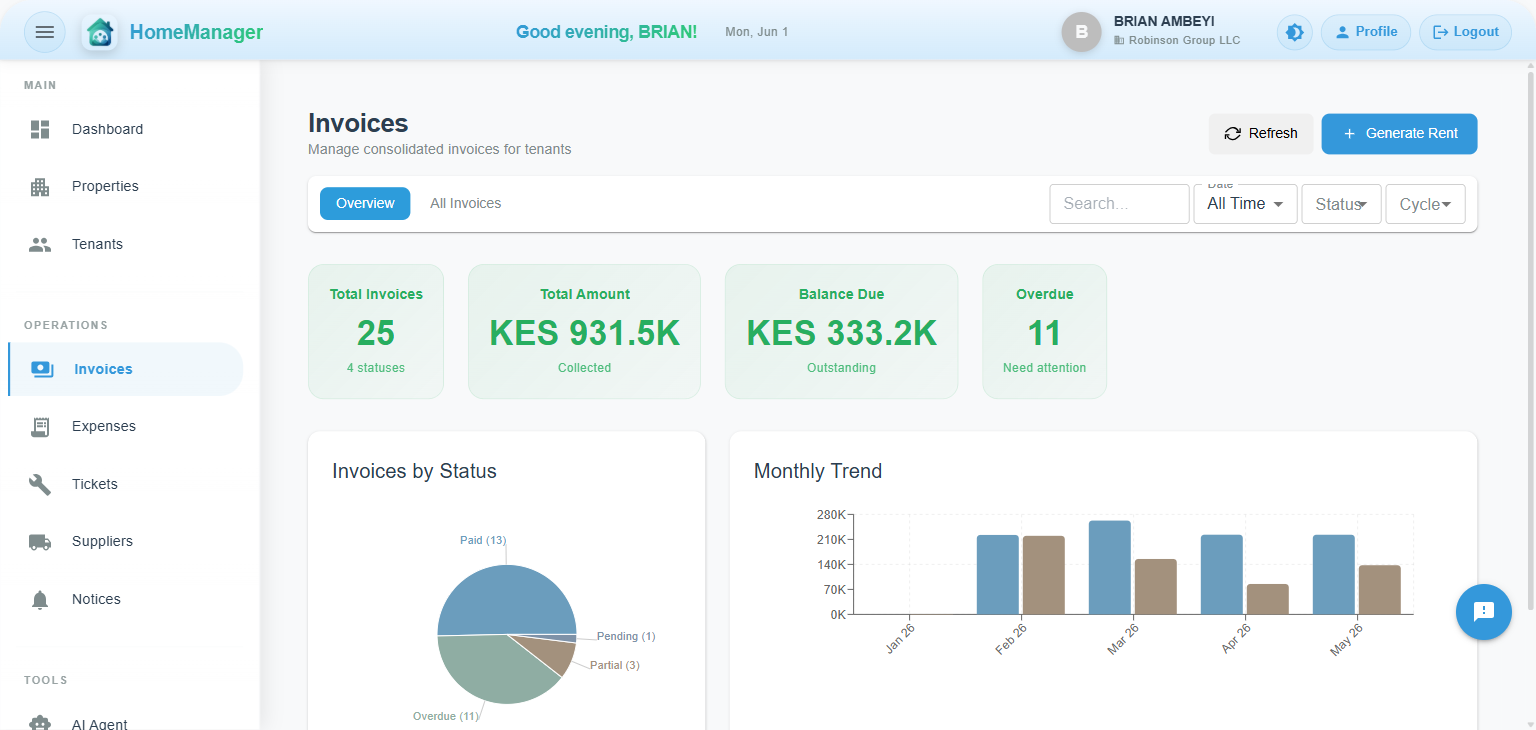
Every property manager from Lagos to Nairobi has heard it: "I paid my rent but I never got a receipt." What follows is usually a back-and-forth of mobile money screenshots, phone calls, and manual verification that eats into your day.
The root cause isn't dishonesty — it's a communication gap. When a tenant pays by mobile money (an M-Pesa Paybill in Kenya, for example), they get a confirmation from the mobile money provider. But they don't get confirmation from you, the property manager. They don't know if their payment was allocated correctly, if their invoice is now settled, or if they still have an outstanding balance.
This gap creates anxiety for tenants and workload for managers. The fix is simple: automated digital receipts delivered instantly via SMS and email the moment a payment is processed.
Tired of receipt disputes? HomeManager sends instant SMS + email receipts for every payment automatically. Zero manual work.
Why Both SMS and Email?
For most landlords in Africa, neither channel alone is sufficient:
- SMS reaches everyone. Not all tenants check email regularly, but everyone reads SMS. For immediate confirmation ("Your payment of KES 25,000 has been received"), SMS is unbeatable.
- Email provides the paper trail. When a tenant needs to reference a payment months later — for tax purposes, disputes, or moving out — email gives them a searchable, detailed record with invoice breakdowns and PDF attachments.
The best approach is email-first with SMS fallback. Send the detailed receipt via email (with PDF attachment), and if the tenant doesn't have email or it bounces, fall back to SMS with a condensed version.
What Tenants Actually Want to Know
When a tenant makes a payment, they have three immediate questions:
- Was my payment received? — Confirmation that the money arrived.
- Which invoice was it applied to? — Since payments are auto-allocated to the oldest unpaid invoice, tenants need to know which bill was covered.
- Do I still owe anything? — The remaining balance, including any other outstanding invoices.
A good payment receipt answers all three in one message. A great one also tells them what to do next if there's still a balance.
The Full Notification Lifecycle
Effective tenant communication isn't just about receipts. It's about keeping tenants informed at every stage of the billing cycle:
1. Invoice Generated
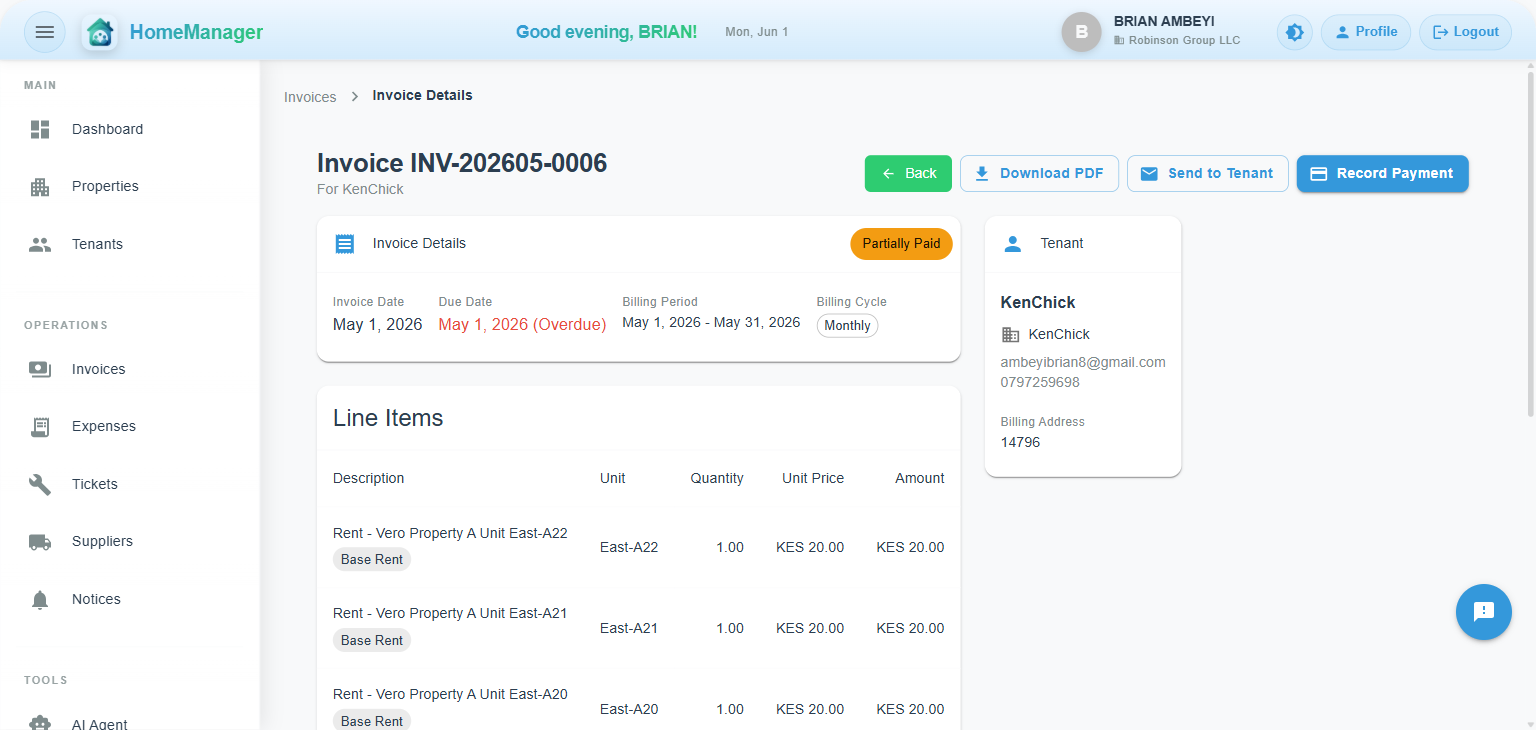
When a new invoice is created (automatically on the billing day or manually), the tenant receives an email with:
- Invoice number and billing period
- Line-item breakdown (rent, utilities, service charges)
- Total amount due (including any outstanding balance from previous months)
- Payment instructions (in Kenya, for example, the M-Pesa Paybill and account number)
- A "Pay Now" button linking to the tenant portal
- PDF invoice attached
The tenant knows exactly what they owe, why they owe it, and how to pay — all in one message.
2. Payment Reminder
A few days before the due date, an automated reminder goes out. It's friendly, not aggressive: "Your invoice #INV-202605-0003 for KES 25,000 is due in 3 days." This catches tenants who simply forgot, without the awkwardness of a personal follow-up call.
3. Payment Received
The moment a payment is processed and allocated, the tenant gets instant confirmation:
- Amount paid and payment method
- Transaction reference (the M-Pesa receipt number in Kenya, for example)
- Which invoice it was applied to
- Remaining balance (or "Settled" if fully paid)
- Outstanding balance on other invoices, if any
This eliminates the "did my payment go through?" anxiety completely.
4. Overdue Notice
If payment isn't received by the due date, an overdue notification is sent. The tone escalates appropriately — first a gentle reminder, then a firmer notice with the number of days overdue and potential consequences.
Auto-Allocation: The Key Detail Tenants Need to Understand
In modern property management systems, payments aren't manually matched to invoices. When a tenant in Kenya sends KES 30,000 via M-Pesa, for example, the system automatically allocates it to their oldest unpaid invoice first, then the next, and so on.
This means a single payment might settle one invoice completely and partially pay another. The receipt needs to clearly communicate this. For example:
"Payment of KES 30,000 received via M-Pesa (Ref: ABC123XYZ). Invoice #INV-202604-0006 settled. Note: You still have KES 15,000 outstanding on other invoices."
Without this clarity, tenants assume their single payment cleared everything — leading to confusion when the next reminder arrives.
Multi-Unit Tenants: A Special Case
Commercial tenants or those renting multiple units (like a business occupying several offices) receive consolidated invoices covering all their units. The notification system handles this by:
- Showing the property name rather than a single unit number
- Including line items for each unit in the invoice email
- Displaying the total across all units
The tenant sees one clear total, pays once, and the system handles allocation across their units automatically.
Reducing Disputes by 80%
Property managers who implement automated digital receipts consistently report a dramatic reduction in payment disputes. The math is simple:
- Before: Tenant pays → no confirmation → calls manager → manager checks manually → sends screenshot → tenant satisfied (30 minutes per dispute)
- After: Tenant pays → instant SMS + email receipt → done (0 minutes)
Multiply that by 50 tenants and you're saving 25+ hours per month on payment verification alone.
The Technical Side: How It Works
For the technically curious, here's how a modern notification system handles this:
- Payment arrives (an M-Pesa callback in Kenya, a PesaPal card or mobile money payment, or a payment you record)
- Auto-allocation engine applies the payment to invoices (oldest first)
- Notification dispatcher composes the receipt with payment details, invoice status, and remaining balance
- Email sent via AWS SES with HTML template and PDF attachment
- SMS fallback if email bounces or tenant has no email on file
- Delivery tracked for audit purposes
The entire flow happens in under 5 seconds from payment to receipt delivery.
What Good Receipt Emails Look Like
The best payment receipts are:
- Branded — Property name and organization in the header, not generic
- Clear — Amount, reference, and balance prominently displayed
- Actionable — If there's still a balance, include payment instructions and a "Pay Now" button
- Mobile-friendly — Most tenants read email on their phones
- Honest — If other invoices are outstanding, say so. Don't celebrate "fully settled" when there's more owed.
SMS: Keep It Short and Useful
SMS receipts need to pack maximum information into minimum characters:
"Payment received for invoice #INV-202605-0003. Amount: KES 25,000 via M-Pesa. Ref: ABC123XYZ. All invoices settled."
That's 140 characters of pure utility. The tenant knows: what was paid, how much, the reference for their records, and their current status. No fluff needed.
Getting Started
If you're still sending receipts manually (or worse, not sending them at all), here's what to look for in a property management system:
- Automatic receipt generation on payment (no manual trigger needed)
- Both SMS and email channels
- Clear outstanding balance communication
- PDF invoice attachments on email
- Payment integrations that trigger receipts automatically (M-Pesa Paybill in Kenya, PesaPal where it operates)
- Tenant portal where tenants can view all their receipts and invoices
HomeManager handles all of this out of the box. Every payment — by M-Pesa in Kenya, by card or mobile money through PesaPal, or one you record — triggers an instant receipt. Every invoice generation sends a notification. Every overdue invoice gets a reminder. Zero manual work required.
Ready to automate tenant communication?
HomeManager sends instant digital receipts via SMS and email for every payment, wherever in Africa you let property. Automated invoices, reminders, and overdue notices — all handled for you.
Get Started with HomeManagerReady to eliminate receipt disputes?
30-day free trial • No credit card required • Set up in 5 minutes
Get Started with HomeManager